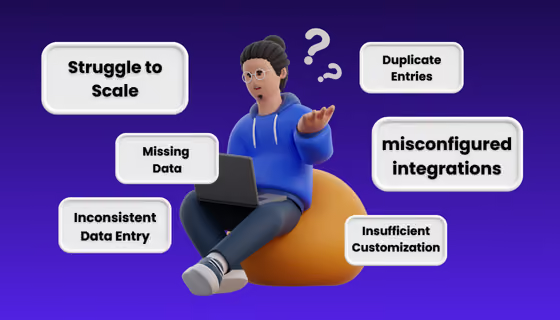
Dirty CRM data doesn't just break your reports, it sends your AI after the wrong people at scale. Here are 5 data hygiene fixes to run before you go live.
This is a true story that Alex, one of Candybox’s RevOps Architect, saw play out. An organization he was working with implemented an AI outbound tool, the tool went live, and within 48 hours existing customers were reaching out to their account managers asking why they were receiving cold prospecting emails. The AI had done exactly what it was built to do. It found contacts in the CRM and reached out. The problem was that the CRM had never been deduplicated, and there was no suppression logic in place to exclude existing customers from prospecting sequences.
Most teams treat this as a tool selection problem. It isn't. It's a data readiness problem.
"AI outbound tools are multipliers. They amplify whatever is in your CRM at a speed and scale that makes data quality exponentially more important than it is in a manual workflow."
— Alex Von Lersner, Candybox Consultant
Across the accounts we work with, 30-40% of our RevOps projects in recent months have come down to data cleanup. Bad data used to mean your reports looked unreliable. Now it means your AI goes after the wrong people, at scale, before anyone realizes what's happening.
Data readiness is the foundation, but it isn't sufficient on its own. We wouldn't recommend running any AI outbound process without human oversight. The “human in the loop” concept done right means someone can catch when the tool is technically doing its job but producing the wrong outcome. The data gets the AI ready to run. A human in the loop keeps it running in the right direction.
Here are the five areas where we consistently find the gaps:
| # | What to clean | Why it matters |
|---|---|---|
| 1 | Duplicate records | AI reaches the same person multiple times with identical sequences |
| 2 | Integration permissions | Third-party tools silently corrupt existing data |
| 3 | Customer suppression | Existing customers get cold-prospected |
| 4 | Enrichment gaps | Personalization fails without key fields populated |
| 5 | Shared definitions | AI contacts people your sales team would never call |
In a traditional RevOps context, poor data hygiene surfaces in reporting. It's painful, but manageable. You catch them in a quarterly review and address them in a cleanup sprint.
In an AI outbound context, poor data hygiene surfaces in your customer relationships. The AI doesn't wait for the quarterly review. It acts immediately, at scale, on whatever it finds. The damage lands externally, with prospects and customers, before anyone on your team knows something is wrong.
Duplicate records are the most common data issue we encounter across every org we work with, and they're the one most likely to cause immediate, visible damage when an AI outbound tool goes live. If the same contact exists three times in your CRM, an AI SDR treats those as three separate people and reaches out to all three. From the recipient's perspective, that's three identical emails, potentially in the same week.
Across the clients we've run this process with, duplicate record counts ranged from 400-600 for smaller orgs up to 5,000-8,000+ for larger ones. Deduplication consistently accounts for 60-70% of total cleanup time. The remaining 30-40% goes toward root cause investigation: understanding which integrations are creating new records instead of matching existing ones, where in the GTM process human data entry is introducing errors, and which validation rules in Salesforce need to be enforced to prevent the same issues from recurring.
This is the issue that catches teams most off guard, and it almost never comes up in standard data hygiene discussions. We've seen a marketing team connect a marketing automation tool to Salesforce without fully scoping the sync permissions. The tool was configured to update the account owner in Salesforce whenever a new activity or meeting was logged against that account. Nobody caught it during the setup. By the time anyone noticed, it had silently reassigned ownership across every account in the org with an open opportunity. Not exactly what an AE needs when they're trying to close a deal.
Before any AI outbound tool touches your CRM, audit every connected integration for what it's actually allowed to do. Specifically check:
In most cases, the integrations don't need the permissions they were granted. They were just never scoped down.
Before launch, your CRM needs a reliable flag for current customers, one the tool is actually configured to respect. This sounds straightforward, but the implementation details create more gaps than most teams anticipate. Common failure points we see:
It's also worth extending this logic to recently closed-lost deals. A prospect who declined three months ago receiving an AI-generated cold sequence is a relationship risk, particularly if there's any chance of reopening that conversation in the future.
Most AI outbound tools personalize their messaging based on what's in your CRM. A tool like 11x, for instance, will pull the domain from the website field on a contact or account record, navigate to that website, research the company, check for recent news mentions, and use that research to tailor the outreach before sending. If the website field is blank, the personalization either fails silently or falls back to a generic template.
The fields that matter most, in order of priority:
| Field | Why it matters for AI outbound | What breaks without it |
|---|---|---|
| Website domain | Powers company research and outreach personalization | Sequences fall back to a generic template |
| Job title | Determines messaging angle and relevance | Outreach can't be targeted by role or seniority |
| Company size | Shapes sequencing logic and qualification criteria | Wrong tier of messaging for the account |
| Industry | Drives the most contextually relevant outreach angle | Personalization reads as generic |
Before launch, run a basic audit: for the contacts in your target audience, what percentage have each of these fields populated? If you're at 60% coverage on website domain across your target list, 40% of the personalization engine is running without the context it needs.
The target state is 100% of website fields populated. Enrichment based purely on account name is unreliable; AI outbound tools need a domain to research the company accurately. We worked with one account where more than 70% of records had personal Gmail or Yahoo addresses as the primary contact email. Enrichment-based personalization was basically nonfunctional for that segment, regardless of which tool they were using.
If marketing and sales don't agree on what qualifies a contact for outbound prospecting, your AI is going to reach out to people your sales team would never call. This is a definitional problem that predates AI outbound by a long stretch. RevOps teams have been navigating the MQL gap between marketing and sales for years, but AI outbound scales it in a way that makes the disagreement visible and consequential very quickly.
The definitions that matter most before launch:
These should be aligned across marketing, sales, and RevOps before they're encoded into the audience logic of your outbound tool. Once they're built in, the tool applies them consistently across thousands of contacts, whether or not they reflect what everyone actually agreed on.
The approach we take with clients is to establish a shared reporting framework first (agreed definitions, agreed fields, agreed lifecycle stages), and then build the outbound audience logic on top of that. Of all five items on this list, this is the one that can't be fixed after the fact with a data loader. Misaligned definitions are invisible in the tool settings, which means they only surface after the AI has already run sequences your sales team would have rejected.
One more thing: clean data is the floor, not the ceiling. The teams that stay ahead are also the ones where a person is still steering — not just reviewing what the AI produces, but setting its direction, deciding where it runs, and knowing where it's likely to fail. There's a meaningful difference between being in the loop and being in the lead. In the loop means you're a checkpoint. In the lead means you're the one making judgment calls about where AI adds value and where it doesn't.
In practice, that means someone who can spot when a sequence is technically correct but strategically wrong — the right message, wrong moment, wrong account, wrong relationship stage. It means someone who can catch a flawed assumption in the audience logic before the AI has run it across 2,000 contacts. That skill — knowing where AI is likely to fail — is becoming one of the most valuable capabilities a RevOps team can develop. The tools will keep getting better at generating output. Someone still has to decide whether the output is good.
If you're evaluating AI outbound tools or already live and running into data-related issues, this is typically where we start.

Candybox Team
RevOps, Salesforce & HubSpot experts
Candybox designs and runs the Salesforce, HubSpot and AI systems behind fast-growing B2B SaaS companies.









Straight answers to what B2B SaaS teams ask us most. Don't see yours? Just ask us.