Blog

/

The Complete Guide to Salesforce Quote Sync (and How We Fixed Its Biggest Gaps)

The Complete Guide to Salesforce Quote Sync (and How We Fixed Its Biggest Gaps)

Struggling with Salesforce Quote Sync? Learn why native sync leaves critical data behind and how Candybox’s free Quote Sync App fixes it—syncing custom fields, improving accuracy, and eliminating fragile automations.

The Complete Guide to Salesforce Quote Sync (and How We Fixed Its Biggest Gaps)

At Candybox, we've worked with dozens of Salesforce orgs and in the majority of them, we see the same frustrating issue: Salesforce's native quote sync leaves critical data behind.

Here's how it usually plays out:
You create a Quote from an Opportunity, add your products and pricing, click Sync, and Salesforce pushes the details back to the Opportunity.

In theory, that should keep your deals perfectly aligned.
In reality, it's incomplete.

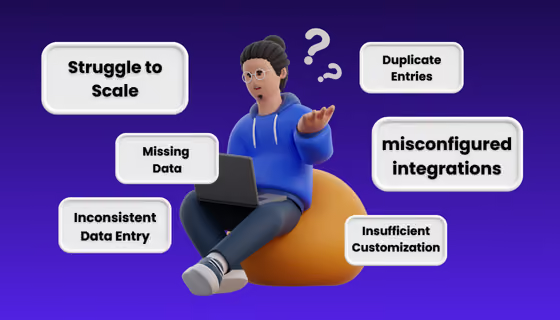
By default, Salesforce only syncs standard fields. The custom fields you rely on like ARR, contract terms, implementation dates, and payment schedules don’t make it over. So admins and RevOps teams end up building custom field quote syncautomations using Flows, Process Builder, or Apex.

We've had to fix this so many times for our clients that we decided to standardize the solution, polish it up, and put it on the AppExchange, completely free! Anyone can use it themselves.

👉 Go to AppExchange Profile

Let's get into it.

How to Fix Salesforce Quote Sync Without Custom Automation

If you've faced the challenges mentioned above, the fix isn't more Flows or Apex, it's simplifying the process entirely. That's why we built our custom field quote sync app: to handle all the syncing logic natively inside Salesforce so you don't have to.

Here's what that means in practice:

  • Eliminate brittle automation: Replace multiple custom Flows or scripts with one native Salesforce app that handles all opportunity quote automation for you.
  • Keep data accurate in real time: Ensure fields like ARR, contract terms, and implementation dates sync automatically when a quote is approved.
  • Speed up your sales process: Sales teams update information once, and it flows everywhere it needs to go.
  • Deploy in minutes: Install, set your sync rules, and you're done. There's no lengthy configuration or code required.
  • Stay 100% inside Salesforce: No external integrations, no data exports, and no security risks.

This is how you get complete Salesforce quote sync without the headaches that come with building and maintaining it yourself.

Why Salesforce Native Quote Sync Falls Short

Salesforce's built-in quote sync was never designed to handle the complexity of most modern sales processes. It:

  • Only pushes standard field values back to the Opportunity
  • Doesn't sync custom fields without manual automation
  • No control over sync direction: just an on/off toggle for standard fields.
  • Can't delay updates to allow roll-up fields to calculate

For teams using even a moderately customized quoting process, that means:

  • Incomplete data when a quote is approved
  • Double-entry between Quotes and Opportunities
  • Breakable, one-off automation that needs constant maintenance

As Brent, our Technical Architect, put it:

“It's absolutely a very common problem. Honestly, I don't understand why more Salesforce customers don't use quoting but for the ones that do, keeping Opportunities and Quotes in sync is a constant pain.”

Ready to Measure the Full Funnel and Grow?

Schedule a call

Candybox’s Quote Sync App for Salesforce

The Inspiration of our Quote Sync product: CPQ’s ''Twin Fields'' Feature

If you've used Salesforce CPQ, you might know about a feature called Twin Fields. It works like magic: create a custom field on the Quote and the Opportunity with the same API name and type, and CPQ automatically keeps them in sync with no configuration needed.

The problem is, if you're not paying for full CPQ, you don't get Twin Fields.

We wanted to give that same effortless syncing to Salesforce CPQ Lite users (or anyone using standard Quotes) and then go a step further. That's how the Custom Quote Sync App was born.

How the Custom Quote Sync App Works

Our app takes Salesforces native quote sync and supercharges it.

With dynamic sync, if a field on the Quote and Opportunity has the same API name and type, it simply… syncs. No setup, no code.

Need to sync fields with different API names? Create a custom mapping (e.g., ARR__c on Quote → Annual_Recurring_Rev__c on Opportunity).

If you need more control, you can choose from:

  • One-way sync (Quote → Opportunity or Opportunity → Quote)
  • Bi-directional sync (keep both objects updated)
  • No-sync (exclude fields entirely)

You can even:

  • Add delayed syncing so roll-up fields calculate before pushing values
  • Enable async updates for better save times
  • Apply recursion protection to avoid infinite loops
  • Exclude sensitive or system fields by default

And it works not just at the parent record level but also for Quote Line Items ↔ Opportunity Products.

We know.. Cue the dance party vibes.

__wf_reserved_inherit

Who The Quote Sync App is For (and Real-World Examples)

We didn't build this because it was a one-off client request; we built it because we run into this issue with the majority of our customers at Candybox.

Here's what we see over and over:

  • Teams already using Salesforce Quotes hit the same roadblock: standard fields sync fine, but none of their custom fields do. They end up with partial data on Opportunities, inaccurate reporting, and a mess of Flows or Apex scripts to keep things aligned.
  • Teams not yet using Quotes often aren't aware of how much it can streamline their sales process. When we introduce quoting, they immediately see the benefit (multiple quote options per deal, faster approvals, cleaner reporting) but also quickly run into the same sync limitations.
  • Even single-product companies (who might think they don't need quotes) eventually add complexity to their deals, and that's when accurate, automated syncing between Quotes and Opportunities becomes critical.

We've implemented this tool for multiple clients already, some in production, others testing in Sandbox, and it has removed the need for custom quote sync automations entirely.

Want to learn more?

Check out the listing on the AppExchange.

Candybox

Candybox Team

RevOps, Salesforce & HubSpot experts

Candybox designs and runs the Salesforce, HubSpot and AI systems behind fast-growing B2B SaaS companies.

Related

I like that Candybox is not afraid to push back for the good of their customers.
Claudio Cocivera
Sr. Manager Business Systems & Processes
Staffbase logo
Merger migration, no major bugs
6 months
Candybox took a personalised approach to our business; they didn’t build an out of the box solution; they tailored it to our needs with industry knowledge and best practices.
Arran Cruickshanks
Commercial Director
Sleek logo
Adoption in week 1
90%+
They are true thought partners and don't require a structured list of requirements. I gave them a high level set of objectives and they were able to translate that into tactical technical updates.
Chiraag Kapoor
Principal
It felt like I walked into a fully-functioning system.
Kimberly DelSignore
Kimberly DelSignore
RevOps Lead
Omni Analytics logo
How Omni scaled RevOps and built a high-impact data architecture with Candybox.
to a live CPQ (vs. 9 months)
2–3 months
Now, we actually work methodically and have a process.
Keith Jones
Keith Jones
Leader of GTM Systems
MURAL logo

Frequently asked questions

Straight answers to what B2B SaaS teams ask us most. Don't see yours? Just ask us.

Why is RevOps important for scaling companies?

When should a SaaS company hire its first RevOps role?

What’s the difference between RevOps, Sales Ops, and Marketing Ops?

What types of companies do you typically work with?

What is RevOps in SaaS?

What CRMs do you work with?

Can Candybox handle both strategy and implementation?