The Ultimate Guide to CRM Migration: Step-by-Step Process and Best Practices
Best Practices
The Ultimate Guide to CRM Migration: Step-by-Step Process and Best Practices
Plan a successful CRM migration with this proven framework that encompasses everything we've learned after hundreds of CRM migrations managed. Clean your data, improve adoption, and transition seamlessly to Salesforce or HubSpot.
CRM migrations are one of those projects that everyone underestimates until they’re in the middle of one.
On the surface, it sounds simple: export the data, import it into the new CRM, done.
In reality, it’s a highly complex initiative with technical, process, and people dimensions. Done well, it sets your company up for scale. Done poorly, it leaves you with corrupted data, angry users, and technical debt that costs more to fix than the original migration budget.
At Candybox, we’ve led dozens of CRM migrations and org consolidations for SaaS companies. From single-instance HubSpot → Salesforce migrations to multi-org Salesforce consolidations post-acquisition, we’ve seen every pitfall.
This guide distills our experience into a step-by-step migration framework you can follow. It’s full of tactical details, technical considerations, and tips to avoid the most common failure points.
Why CRM Migrations Fail (and How to Avoid Common Mistakes)
Before we get into the how, let’s talk about why CRM migrations so often go sideways.
"If you think a good CRM migration is expensive, try a bad one."
Here are the six reasons most migrations fail (and what to do about them):
Underinvestment in time, cost, or resources
Rushing to meet a deadline or budget leads to cutting corners.
No time for proper discovery, design, or testing.
Fix: Budget realistically for planning, testing, and post-go-live support.
Lack of clear objectives and scope
Trying to be all things to all users results in a bloated or directionless CRM.
Fix: Define success criteria and align stakeholders on the WHY before touching a single field.
Poor change management and user enablement
Dropping users into a brand-new CRM overnight without training or context guarantees poor adoption.
Fix: Involve users early, communicate often, and train before and after go-live.
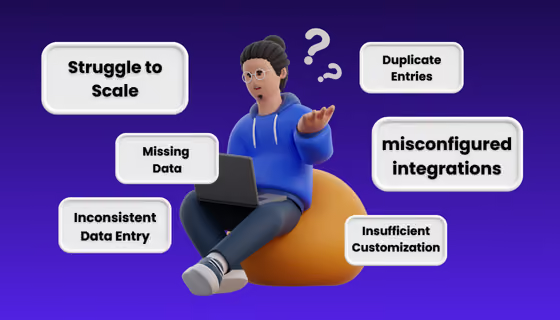
Underestimating data quality challenges
Migrating duplicates, incomplete records, and stale data pollutes your new CRM.
Fix: Audit, dedupe, enrich, and normalize data. Don’t migrate junk.
Lack of key stakeholder involvement
Skipping key stakeholders means their needs aren’t met, or they derail the project mid-stream.
Fix: Engage execs, team leads, and end users early and often.
Inadequate testing
Users hitting bugs and errors on day one kills confidence.
Fix: Test in sandboxes, create UAT scripts, involve real users, and validate data thoroughly.
What’s at Stake in a CRM Migration? Costs, Risks, and Benefits
What a Good CRM Migration Delivers
A well-planned, well-executed, smooth CRM migration does more than move data. It unlocks better processes, cleaner insights, and a scalable foundation for growth.
Here’s what you gain with a successful migration:
Clean, reliable data → accurate reporting & decision-making
Scalable architecture → a system that can grow with your team
Better customer experience → unified, timely views of customer interactions
Revenue impact → faster lead response, improved conversion tracking
Higher adoption → users find the system intuitive and aligned to their workflows
What a Bad CRM Migration Results In
On the flip side, a poorly executed migration creates more problems than it solves and often costs even more to fix later.
“Planning is where you define success. Without clarity on the WHY, you’ll either overbuild, underbuild, or create a Frankenstein CRM.” - Mark Spellman, Head of Delivery Candybox
Phase 2: Design — Mapping Workflows, Data Structures, and Integrations
With the context in place, you architect the future state CRM.
Key activities:
Map current workflows to new CRM capabilities (e.g., how will Salesforce objects replace HubSpot equivalents?).
Decide what to keep out-of-the-box vs. what requires true customization.
Map future data structures → what gets migrated, what’s archived, how relationships change.
Define detailed user stories for every piece of functionality.
Document integration inventory → what stays, what’s replaced, what’s retired.
Align on scope, timeline, and budget (expect multiple iterations, that's normal).
Hold a 30/60/90-day retrospective → what worked, what didn’t, what’s next for V2?
How to Avoid Technical Debt During a CRM Migration
DO:
✅ Document everything. Yes, even the "why" behind decisions. ✅ Use standard objects & native features where possible. ✅ Implement clear naming conventions. ✅ Set up governance to prune unused fields, reports, and code regularly.
DON’T:
❌ Recreate your old CRM "just because." ❌ Over-customize V1. Keep it simple! ❌ Let everyone be an admin and create random fields & automations.
How to Avoid Business Disruption During a CRM Migration
Involve stakeholders early and often.
Over-communicate scope, timelines, and the why.
Start data cleanup ASAP as it always takes longer than you think.
Don’t forget end users. They’re the ones who’ll live in the CRM.
Keep V1 simple. Save bells & whistles for V2.
Pick a smart go-live window.
Track KPIs post-migration to spot issues before they blow up.
Final Thoughts on Planning a Successful CRM Migration
A CRM migration is more than just moving data. It’s a rare opportunity to clean house, fix broken processes, and build a scalable foundation for growth.
Yes, it takes time, planning, and upfront investment. But it’s far cheaper than cleaning up a failed rollout later.
At Candybox, we don’t just migrate CRMs, we future-proof them.
If you’re planning a migration (or recovering from a bad one), let’s talk.
I like that Candybox is not afraid to push back for the good of their customers.
Claudio Cocivera
Sr. Manager Business Systems & Processes
Merger migration, no major bugs
6 months
Candybox took a personalised approach to our business; they didn’t build an out of the box solution; they tailored it to our needs with industry knowledge and best practices.
Arran Cruickshanks
Commercial Director
Adoption in week 1
90%+
They are true thought partners and don't require a structured list of requirements. I gave them a high level set of objectives and they were able to translate that into tactical technical updates.
Chiraag Kapoor
Principal
It felt like I walked into a fully-functioning system.
Kimberly DelSignore
RevOps Lead
How Omni scaled RevOps and built a high-impact data architecture with Candybox.
to a live CPQ (vs. 9 months)
2–3 months
Now, we actually work methodically and have a process.
Keith Jones
Leader of GTM Systems
Frequently asked questions
Straight answers to what B2B SaaS teams ask us most. Don't see yours? Just ask us.
Why is RevOps important for scaling companies?
When should a SaaS company hire its first RevOps role?
What’s the difference between RevOps, Sales Ops, and Marketing Ops?
What types of companies do you typically work with?
What is RevOps in SaaS?
What CRMs do you work with?
Can Candybox handle both strategy and implementation?
Smarter systems. Smoother processes. Real growth.
Start with a conversation. We'll look into whether we're a fit and be honest about what you need.